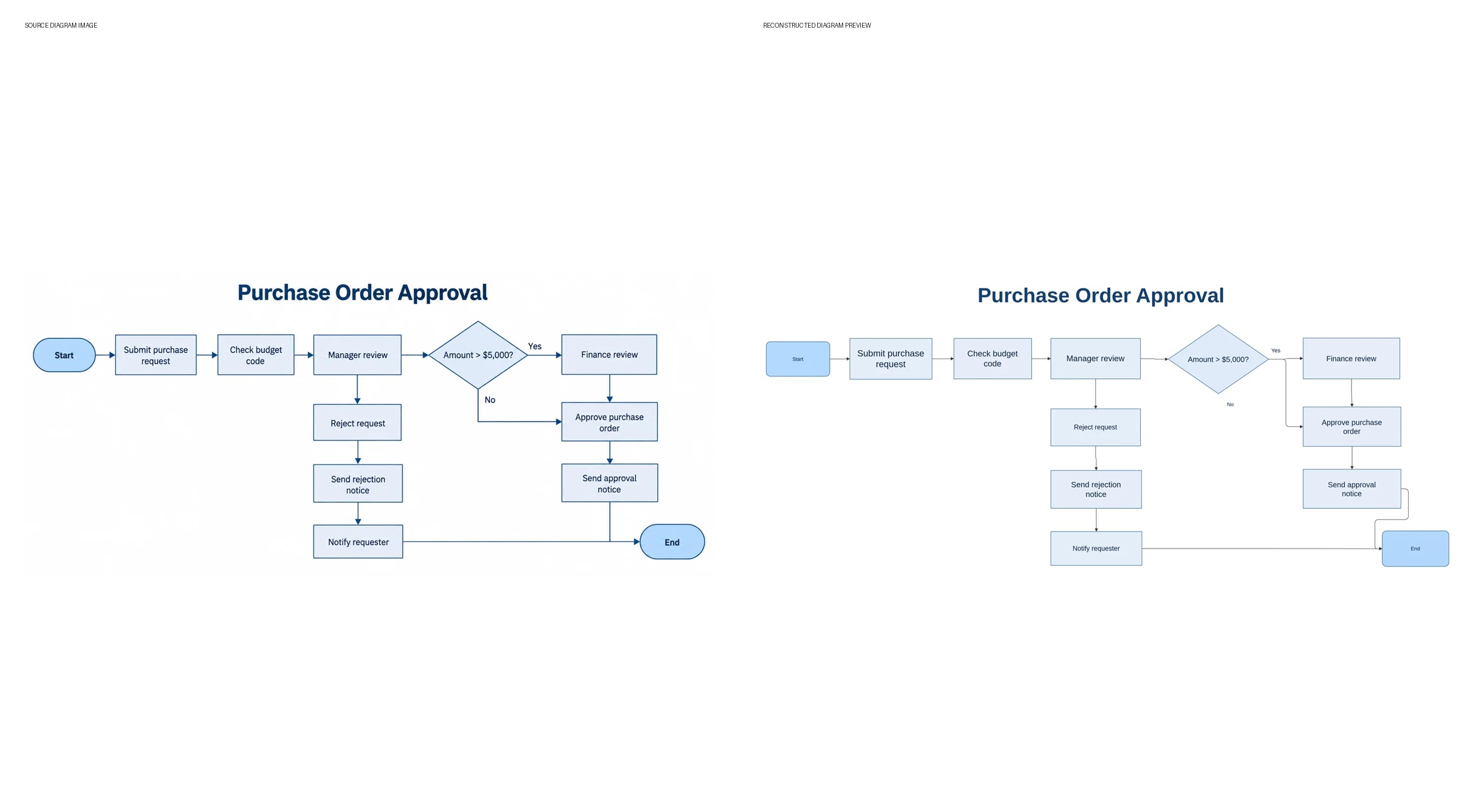

AI-assisted reconstruction recovers shapes, connectors and text from diagram images, with VSDX, PPTX, draw.io and SVG output.
NEWARK, DE, UNITED STATES, October 1, 2026 /EINPresswire.com/ — LayerBack presents an AI-assisted reconstruction workflow that turns diagram images into editable files for Visio, PowerPoint and draw.io. The service is designed for teams that have a screenshot, exported image or PDF diagram but no longer have the original editable source.
A diagram can remain useful long after its source file is lost. Process documentation may contain a PNG flowchart, a presentation may include a screenshot of an architecture diagram, or a PDF may preserve a network drawing that needs updating. LayerBack analyzes the visible diagram and rebuilds its structure so users can continue working with shapes, connectors and text in familiar applications.
Recovering a working diagram from an image
The image-to-Visio converter accepts PNG, JPEG and WebP diagram images. LayerBack reconstructs supported diagram elements into structured output, including native shapes, editable labels and connectors bound to shapes. This gives users a starting point for changing text, repositioning objects and updating relationships after conversion.
The workflow is intended to recover the existing diagram’s visible structure. It addresses image-to-diagram and image-to-flowchart tasks, as well as PNG-to-Visio and PNG-to-draw.io use cases. Recognition results depend on the source image and the diagram’s complexity, so the reconstructed file remains available for review and correction.
PDF diagram recovery is also supported through a browser-based page picker. Users choose the page containing the diagram, and the browser renders that page into an image for conversion. This workflow handles a selected diagram page rather than promising automatic reconstruction of every page in an entire document.
One conversion, multiple output formats
LayerBack prepares VSDX, PPTX, draw.io and SVG output from a conversion. The image-to-PowerPoint converter provides reconstructed diagrams as slide content, with supported geometric shapes, connectors and labels available for editing. Custom graphics and icons may remain image assets within the reconstructed document.
Users can also open a converted diagram in the built-in editor, revise the result and regenerate the downloadable files. Editing and re-export are included in the unlocked conversion, allowing the recovered diagram to be refined before it moves into a presentation, technical document or diagram library.
Preview before unlocking the file
The browser workflow allows users to convert and preview a diagram without creating an account. Sign-in and credits are required when unlocking a successful conversion for editing or download. The unlocked diagram includes its available output formats, and a browser conversion that fails before unlocking does not consume download credits.
For programmatic use, LayerBack provides an authenticated conversion API, job-status retrieval and output downloads. Completion webhooks can notify a connected workflow when a job succeeds or fails. These interfaces let developers incorporate diagram reconstruction into an existing document or automation process.
The product also includes an online VSDX viewer for inspecting Visio files. Together, viewing, reconstruction, editing and export support a practical path from a static diagram to a file that a team can maintain.
A public product demonstration shows the image-based workflow and the available output formats. LayerBack is available online for users recovering editable diagrams from images and selected PDF pages.
About LayerBack
LayerBack is an AI-assisted diagram reconstruction service. It converts diagram images into structured files for Visio, PowerPoint, draw.io and SVG workflows, with browser preview, editing and developer interfaces.
Davie Chen
TopLocalAI, LLC
davie@daviechen.com
LayerBack: Convert Diagram Images to Editable Visio, PowerPoint and draw.io Files
Legal Disclaimer:
EIN Presswire provides this news content “as is” without warranty of any kind. We do not accept any responsibility or liability
for the accuracy, content, images, videos, licenses, completeness, legality, or reliability of the information contained in this
article. If you have any complaints or copyright issues related to this article, kindly contact the author above.

Media gallery